File the day's report from the job site, attach photos, sign it on the phone, and send a branded PDF to the project manager before you leave. Works with no signal and no account. Free on both stores.
The daily report is the part of the job that gets done last, in a truck or a kitchen, hours after the work it describes. PM Axsus Field moves it back to where it belongs: the job site, while the crew is still standing on it.
What you can file
Two things, both of them the paperwork a field crew actually gets asked for:
A daily report. Date, weather, crew and equipment counts, work performed, quantities, and notes.
A checklist inspection. Run it against a built-in template or one of your own.
Photos attached to any report or inspection, taken with the camera or pulled from the library.
A signature drawn on the device before it goes out.
A branded PDF exported through the normal share sheet or your mail app.
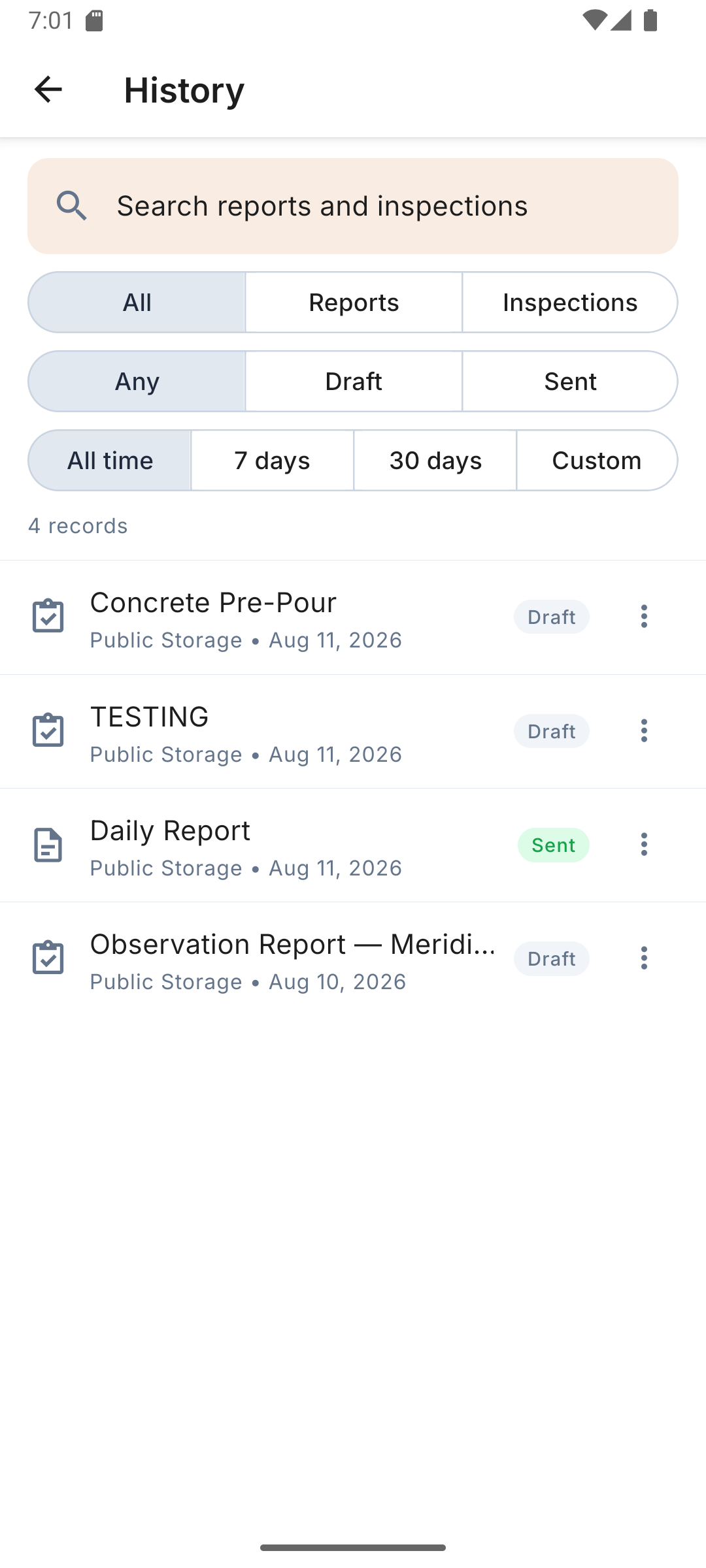
A project list with searchable history of everything you have filed, filterable by type, status, and date.
Everything is stored on the phone. Fill out a report in a trench with no signal — the PDF is built on the device and waits until you are ready to send it.
How it works
Set yourself up once. Name, company, trade. That is the whole onboarding. There is no account to create and no password to remember.
Fill it out on site. Open a daily report or an inspection, work down the form, add photos as you go, and sign it. None of this needs a connection.
Send the PDF. Hand it to the share sheet or your mail app and it lands with the project manager looking like your company produced it, not like a text message.
Who it's for
Foremen
The person who has to file it
The report gets written on site while the details are still accurate, instead of from memory after dinner.
Superintendents
Several crews, one format
Every report comes back with the same structure whichever crew filed it, so they are comparable.
Small contractors
No software budget required
Free, with nothing to provision. A two-truck outfit can be filing proper PDFs the same afternoon.
Inspections
Anyone running a checklist
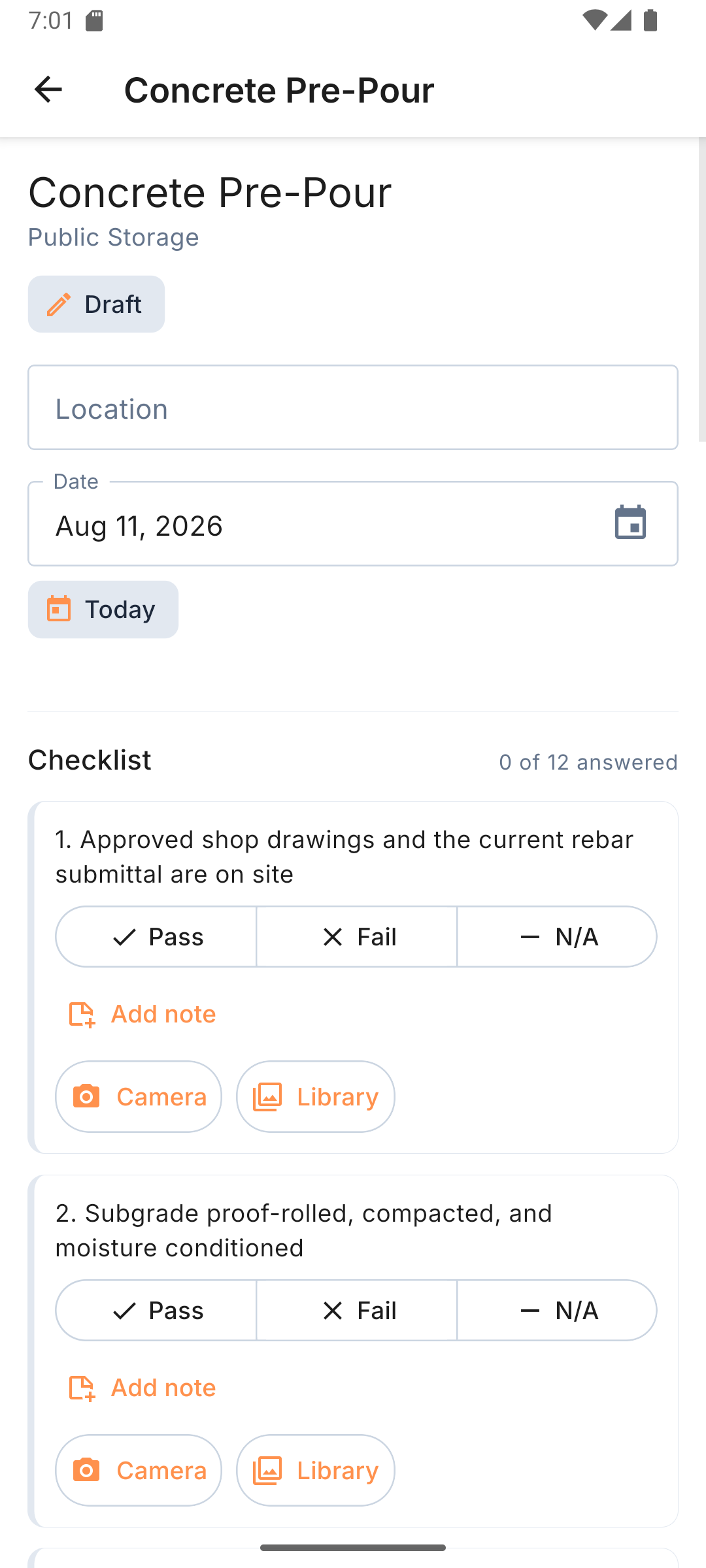
Pre-pour, punch list, observation reports — built-in templates or your own, with photos on each item.
Inside the app
What it looks like on the phone
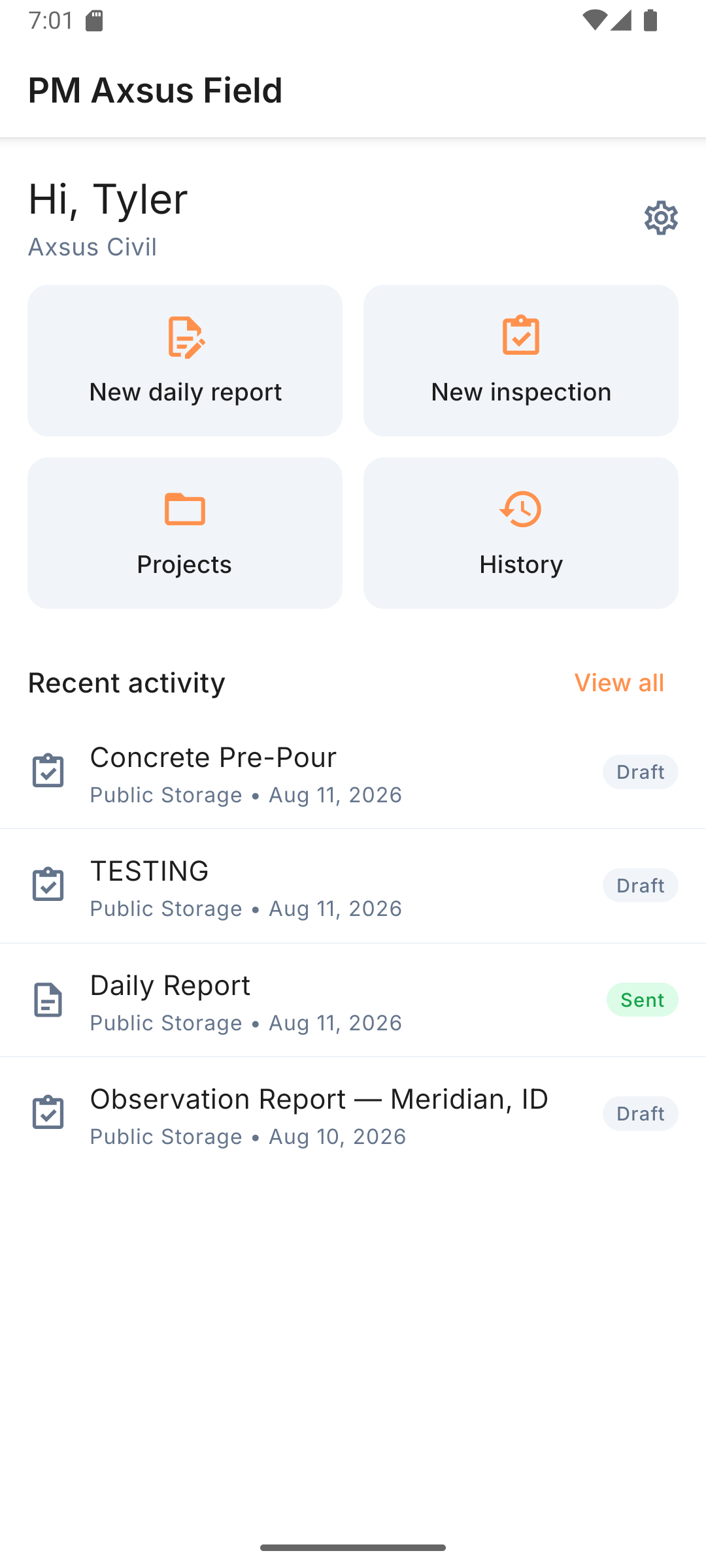
Four buttons on the home screen, a searchable history, and checklists that take a photo and a note on any line item.
Home: report, inspection, projects, history
History: search and filter what you filed
Inspections: pass, fail, note, photo
Field is free. PM Axsus is the office.
PM Axsus Field is the field end of PM Axsus, but it is a standalone app. It does not sign in to anything, it does not check a subscription, and it will keep working exactly the same whether or not your company ever buys the platform. If all you need is a clean daily report PDF, download it and stop reading here.
The difference is what happens to the numbers after they leave the phone. Field produces a document. The PM Axsus platform produces a running record: installed quantities rolled up across crews and days, production rates measured against the hours that produced them, and earned value — live CPI and SPI — built from field capture rather than reconstructed at month end.
Getting a Field report to the office
Field sends PDFs. There is no sync between the app and a PM Axsus account, by design — the app has no account to sync with. The report goes to whoever handles it the same way any other PDF would: share sheet or email. Crews that need quantities flowing straight into cost and schedule performance use the platform's own field capture instead.
The honest summary: Field is the right tool if the deliverable is a report. The platform is the right tool if the deliverable is knowing whether the job is making money while there is still time to do something about it.
Common questions
Is PM Axsus Field really free?
Yes. Version 1.0 is free on both stores with no in-app purchases, no trial clock, no ads, and no paywall on the reporting features. Nothing about filing a report or sending the PDF is held back.
Does it need cell signal on the job site?
No. The app is offline-first. You can fill out a report in a trench with no bars, attach photos, and sign it. The PDF is generated on the device. You only need a connection at the moment you actually send the file.
Do I need a PM Axsus account to use it?
No. There is no account and no login. You enter your name, company and trade once on first launch and that is the whole setup. Using PM Axsus Field never requires a PM Axsus platform subscription.
What is in the PDF it sends?
A daily report PDF carries the project details, date, weather, crew and equipment counts, work performed, quantities, notes, any attached photos, and the on-device signature. An inspection PDF carries the checklist results with the same photo and signature handling. It goes out laid out properly rather than as a wall of text in an email.
Is it on both iOS and Android?
Yes. PM Axsus Field 1.0 shipped on the App Store and Google Play on August 20, 2026. It is the same app on both, so a mixed crew does not end up with two different forms.
Where does my data live?
On the phone. Reports, photos and signatures stay in the app's private storage on the device. There is no account, no analytics and no advertising identifier, and nothing leaves the device until you hand a PDF to the share sheet or your mail app yourself.